Early Active Development
Free & Open Source
C++23
MIT License
A 3D scene editor that thinks in shapes, not triangles.
MeshCraft lets you build 3D scenes from primitive shapes, boolean operations, extrusions, and keyframe animation — then export straight to glTF/GLB for use in games, viewers, and other 3D tools.
I want to use MeshCraft
Learn the editor and build your first 3D scene. No programming required.
Start the Users guideI want to build on MeshCraft
Build from source, understand the architecture, work with the MC3 format.
Start the Developer docs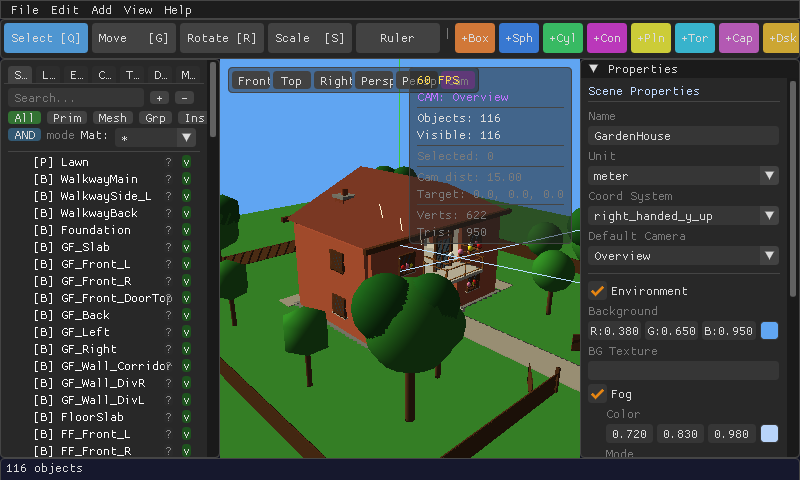
What you can build
Everything is stored as editable, human-readable .mc3.xml — not baked triangle soup — so you can always go back and change your mind.
Primitive Shapes
Box, Sphere, Cylinder, Cone, Plane, Torus, Capsule, Disk, Grid, and Ico-sphere — all editable after placement.
CSG Booleans
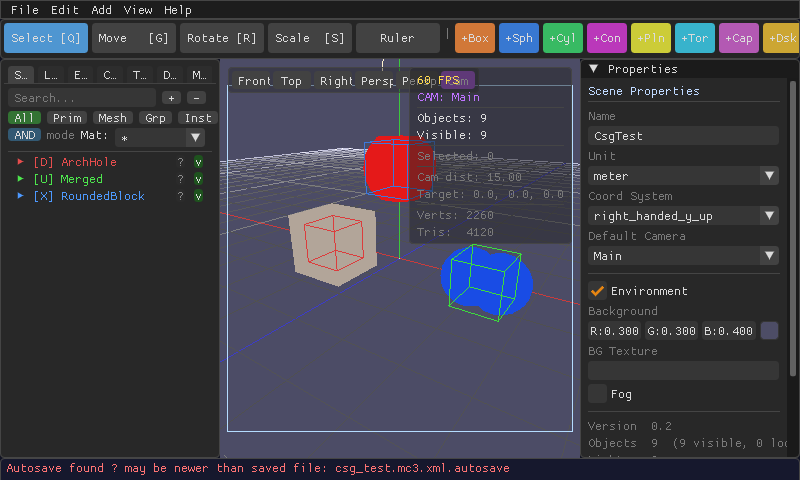
Union, Difference, and Intersection — cut holes, merge shapes, and carve real geometry.
Extrude
Sweep a cross-section — rectangle, circle, polygon, or custom — along a line, arc, helix, polyline, or curve.
PBR Materials
Color, roughness, metallic, and emissive glow, with texture support — the same material model used by modern game engines.
Keyframe Animation
A timeline editor for moving, rotating, scaling, and recoloring objects over time.
Walk Mode
Drop into first-person and walk around your scene before you ever export it.
Definitions & Instances
Build something once, then place it a hundred times — edit the original and every copy updates.
glTF/GLB Export
One click sends your scene to Blender, Godot, Unity, or any glTF-compatible engine, animations included.
A closer look
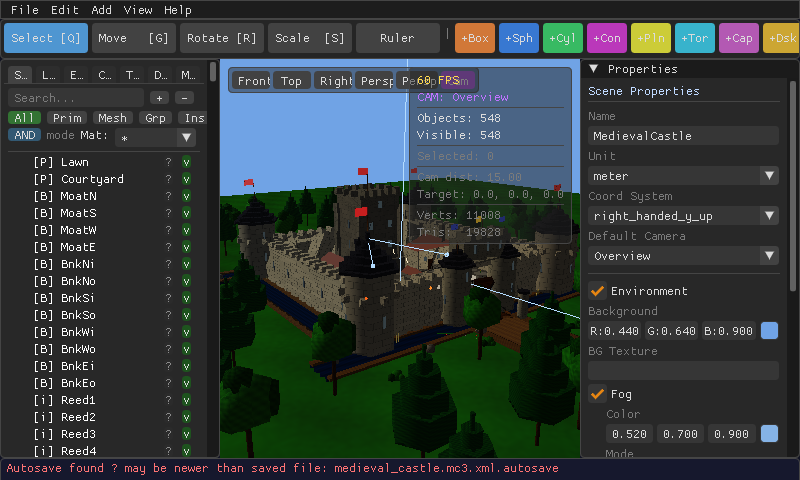
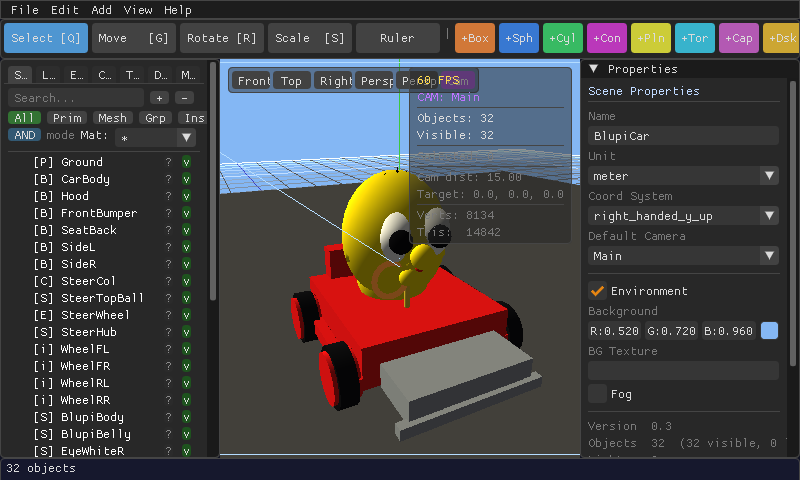
Real screenshots of the editor — not mockups.
Supported Platforms
| Platform | Backend | Status |
|---|---|---|
| Linux | EasyGL (OpenGL ES 3.2) | Working |
| Browser (WASM) | Emscripten + WebGL 2 | Working |
| macOS | EasyGL or SDL_RENDERER | Planned |
| Windows | EasyGL / BGFX / Vulkan | Planned |
| Android | SDL_RENDERER | Planned |